

Views: 0 Author: Site Editor Publish Time: 2026-02-02 Origin: Site
Choosing the right paper cutting machine can feel overwhelming. With so many options, how do you know which one fits your needs?
In this article, we will explore the essential factors to consider when selecting a paper cutting machine, including cutting capacity, precision, and material compatibility.
By the end of this guide, you will understand how to choose the best paper cutting machine for your specific tasks.
When choosing a paper cutting machine, it's essential to consider how much paper you need to cut on a regular basis. This will help determine the appropriate machine type, whether you need a manual cutter for small jobs or a high-capacity cutter for large volumes.
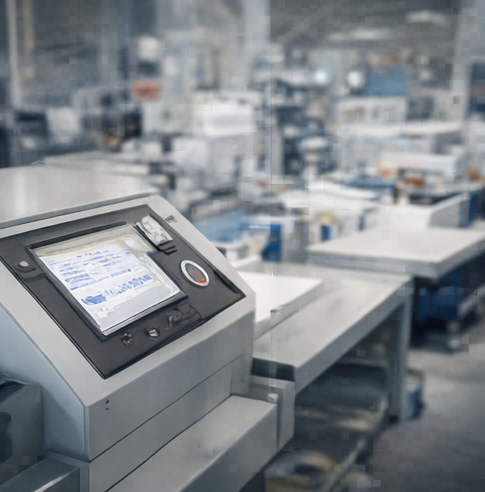
If your cutting requirements are minimal, such as occasional use or small projects, a manual cutter or basic electric model will likely suffice. These cutters are designed for handling fewer than 20 sheets of paper at once and are ideal for:
● Home offices
● Small businesses
● Occasional paper trimming
For high-volume projects, such as cutting hundreds or thousands of sheets per day, you will need a hydraulic stack cutter or high-capacity electric model. These machines can cut through larger stacks of paper (up to a full ream) efficiently, reducing manual effort and increasing productivity. High-volume cutters are essential for:
● Print shops
● Packaging companies
● Large-scale offices or factories
Machine Type | Volume Capacity | Best For |
Manual Cutter | Low-volume (1-20 sheets) | Small businesses, home offices, occasional use |
Electric Cutter | Medium to high-volume (up to 100 sheets) | Mid-sized offices, small print shops |
Hydraulic Stack Cutter | High-volume (100+ sheets) | Large print shops, industrial applications |
The size of the paper you need to cut plays a critical role in selecting the appropriate machine. Different cutters have varying cutting widths, so it's important to assess the size of the paper you work with most frequently.
If your typical cutting needs involve standard letter-sized paper (8.5" x 11"), most cutters will handle this without issue. However, if you need to cut larger sheets, such as legal-sized (8.5" x 14") or tabloid-sized (11" x 17") paper, you will need a machine with a wider cutting capacity.
For industries that require cutting larger formats—such as for posters, banners, or signage—you will need a machine that can handle wide paper. Machines designed for large-format cutting can often accommodate paper sizes up to 40 inches or more, making them suitable for:
● Sign makers
● Graphic printing companies
● Advertising industries
Paper Size | Cutting Machine Requirement |
Standard Sizes (8.5" x 11") | Most basic cutters will suffice |
Legal Size (8.5" x 14") | Cutter with wider cutting capacity |
Tabloid (11" x 17") | Cutter with larger width, adjustable models |
Large Format (up to 40") | Specialized large-format cutting machines |
The type of paper you cut plays a significant role in determining which machine will best meet your needs. Different materials—such as cardstock, plastic films, cardboard, or laminated paper—require varying levels of cutting power.
For standard office paper, a basic cutter or rotary trimmer should work well. These cutters are designed to handle common materials like:
● Printer paper
● Copier paper
● Basic cardstock
For thicker or more specialized materials, such as cardstock, laminated paper, or plastic films, you'll need a heavy-duty cutter that can handle the extra resistance. Hydraulic stack cutters or high-performance guillotines are typically required for cutting:
● Thick cardstock
● Laminated sheets
● Plastic films (PET, PVC, etc.)
● Cardboard
Material Type | Recommended Machine Type |
Standard Paper | Basic cutter, rotary trimmer |
Cardstock, Laminated Paper | Heavy-duty guillotine, stack cutter |
Plastic Films (PET, PVC) | Hydraulic cutter, specialized machines |
Cardboard | High-capacity guillotine, stack cutter |
Guillotine cutters are widely known for their ability to make straight cuts, often used in high-volume jobs where speed and precision are essential. These cutters operate with a large, sharp blade that is brought down on a stack of paper, making them ideal for cutting through multiple sheets at once.
● Best for: Guillotine cutters are particularly suitable for tasks like trimming large volumes of paper, such as in print shops, schools, and offices. They handle batches of paper (up to 50 sheets) with ease, making them a go-to choice for high-efficiency cutting.
● Pros: Guillotine cutters are fast, affordable, and offer precise straight cuts. They are easy to operate and can be highly effective for quick, bulk trimming jobs.
● Cons: Safety can be a concern, especially if the machine is not used properly. The exposed blade and manual operation increase the risk of accidents. Additionally, these machines require physical effort to operate, which can be a disadvantage in high-volume settings.
Safety Features: Modern guillotine cutters come equipped with blade guards, safety locks, and tension springs that prevent sudden blade movements. These features enhance safety, especially in environments where the cutter is used frequently.
Rotary trimmers use a rotating circular blade that slides along a guide rail to cut paper. These machines are typically used for more precise cutting tasks, making them perfect for delicate materials or smaller jobs.
● Best for: Ideal for cutting photos, crafts, or small paper batches, rotary trimmers offer high precision with minimal safety concerns. They are perfect for use in offices, schools, or even small print shops where accuracy is more important than cutting large volumes.
● Pros: Rotary trimmers are safe to use, as the blade is mostly enclosed. They are perfect for intricate designs, and their design allows them to cut materials like photos and delicate sheets with ease.
● Cons: While they offer precision, rotary trimmers are generally slower and can only handle small batches of paper at a time (usually fewer than 10 sheets). Additionally, their blades need frequent replacement, which can add to the maintenance cost over time.
Safety Features: Rotary trimmers are designed with enclosed blades and protective covers, reducing the risk of injury. These features make them safer compared to guillotine cutters, especially for schools and shared environments.
Stack cutters, also known as ream cutters, are designed to handle high-volume cutting, making them the ideal choice for businesses or industries that process large quantities of paper.
● Best for: Perfect for commercial environments, stack cutters can trim hundreds of sheets in a single pass. These machines are essential in print shops, publishing companies, and other businesses that handle bulk paper regularly.
● Pros: Stack cutters are incredibly efficient, capable of cutting large stacks (up to 800 sheets) in one go. They provide a high level of accuracy and consistency, reducing the time needed for multiple cuts.
● Cons: Due to their size and power, stack cutters tend to be more expensive and require more space. They can be overkill for smaller projects, making them unsuitable for home or small office environments.
Manual vs. Electric Options:
● Manual stack cutters are more affordable and can handle smaller loads, but they require more physical effort and time.
● Electric stack cutters are more automated, providing higher efficiency and less physical effort, but they come with a higher price tag.
Specialty cutters and die cutters are designed for specific, often repetitive, cutting tasks, offering greater flexibility and precision.
● Best for: Specialty cutters are ideal when cutting a specific shape or pattern repeatedly, such as in craft or packaging industries. Die cutters, which use pre-designed dies to cut shapes, are perfect for creating custom shapes for packaging, greeting cards, or other printed materials.
● Pros: These cutters provide high precision and consistency, ideal for industries that require exact, repeated shapes. Die cutters are capable of cutting custom shapes at high speed, which is useful for mass production.
● Cons: Die cutters are more expensive and require a larger upfront investment. They are generally best suited for businesses with high production needs, rather than for casual or home use.
When to Consider: Specialty cutters should be considered when your production process involves consistent, high-precision cutting of specific shapes, like business cards or intricate designs. Die cutters, while expensive, can save a considerable amount of time in industries that require mass production of custom shapes.
Machine Type | Best For | Pros | Cons |
Guillotine Cutters | High-volume straight cuts | Fast, affordable, precise for straight cuts | Safety concerns, requires physical effort |
Rotary Trimmers | Precision cutting for small batches | Safe, ideal for photos, crafts, and delicate materials | Low capacity, blade replacement required |
Stack Cutters | High-volume cutting (100+ sheets) | High efficiency, precise, and fast for bulk cutting | Expensive, requires more space |
Specialty Cutters | Repetitive cutting of specific shapes | High precision, ideal for custom shapes | Expensive, best for high-volume production |
By understanding the distinct features, benefits, and limitations of each type of paper cutting machine, you can make an informed decision that aligns with your specific cutting needs, whether it's for precision, volume, or specialized tasks.
The cutting capacity of a paper cutting machine is crucial to understanding how much paper it can handle at once. It directly impacts the efficiency of your workflow, especially in high-volume cutting scenarios.
● Sheet Capacity: The number of sheets a machine can cut simultaneously is essential for determining how well it meets your needs. For instance, if you are working with large stacks of paper regularly, look for machines with higher sheet capacities.
● Cutting Width: The cutting width refers to the maximum width of paper that the machine can accommodate. Ensure that the machine can handle the dimensions of the material you plan to cut, especially if you work with oversized paper like poster boards or wide-format prints.
For Example:
● A manual guillotine cutter typically handles fewer sheets at a time (10-20 sheets) and is perfect for smaller operations.
● A stack cutter can handle up to 800 sheets in a single cut, making it ideal for print shops or large-scale operations.
Machine Type | Max Sheet Capacity | Best For |
Manual Cutter | 10-20 sheets | Small businesses, home use |
Electric Cutter | 50-100 sheets | Offices, mid-sized print shops |
Stack Cutter | 100-800 sheets | Large print shops, industrial use |
When it comes to certain applications—such as cutting photographs, business cards, or printed materials with fine details—precision and accuracy are paramount.
● Adjustable Backstops: An adjustable backstop allows you to set the cutting position to a precise measurement. This feature ensures that every cut is consistent and aligned, reducing waste and increasing productivity.
● Laser Guides: Many modern cutters come with laser guides that project a light beam onto the paper, showing exactly where the cut will occur. This is particularly useful for intricate cuts and ensuring that the paper is aligned accurately before cutting.
● Digital Readouts: Some higher-end machines feature digital readouts that allow you to set exact measurements for cutting. This feature is especially valuable for precision cutting tasks, as it reduces human error and ensures accuracy across multiple cuts.
Feature | Benefits | Best For |
Adjustable Backstop | Precise alignment for consistent cuts | High-volume jobs needing accuracy |
Laser Guides | Visual guidance for perfect paper alignment | Crafts, design, and photo trimming |
Digital Readouts | Exact measurement and accuracy | Print shops, businesses requiring precision |
Safety is always a top priority when working with cutting machines. A machine that lacks adequate safety features can pose risks in busy environments where multiple people may be using the equipment.
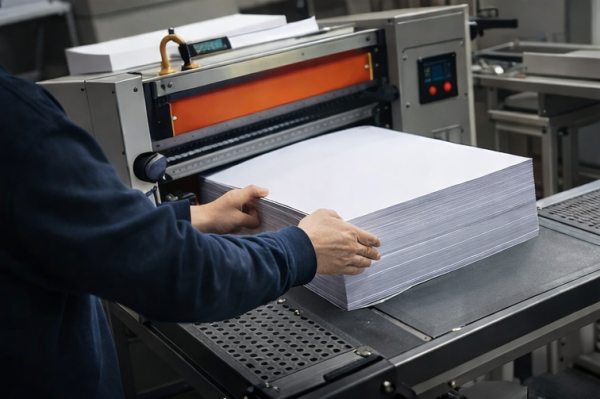
● Blade Guards: A blade guard is an essential safety feature, particularly in machines like guillotines where the blade is exposed. A blade guard protects users from coming into contact with the cutting edge when the machine is not in use.
● Safety Locks: These locks prevent the blade from moving when the machine is not actively being used. They are particularly important for manual cutters, where accidental engagement of the blade can result in injuries.
● Emergency Stops: High-end machines, especially electric stack cutters, should have emergency stop buttons that immediately halt the cutting process in case of an unexpected event. This feature is critical in environments where high-volume cutting is taking place.
Safety Feature | Purpose | Best For |
Blade Guards | Prevent accidental contact with the blade | Guillotine cutters, rotary trimmers |
Safety Locks | Lock blade to prevent unexpected movements | Manual and electric cutters |
Emergency Stops | Immediate machine shutdown in emergencies | High-capacity stack cutters, electric models |
When selecting a paper cutting machine, safety should always be a top priority. Paper cutters, particularly those with exposed blades, can pose significant risks if not designed with the proper safety features. Ensuring that your machine has essential safety elements is crucial for preventing accidents, especially in environments with frequent use.
● Blade Covers: Blade covers serve as the first line of defense against accidental contact with the cutting blade. These covers prevent the blade from being exposed when the machine is not in use, reducing the risk of injury.
● Safety Locks: Safety locks are critical in preventing the accidental activation of the cutter. They are typically engaged when the machine is not in use and ensure that the blade remains stationary until you are ready to cut.
● Automatic Retraction: Many modern paper cutters, particularly electric models, come equipped with automatic blade retraction systems. These systems automatically pull the blade back into a safe position once the cutting operation is complete, minimizing the risk of accidents during machine operation.
Safety Feature | Description | Best For |
Blade Covers | Protects users from accidental contact with the blade | Manual and electric cutters |
Safety Locks | Prevents the blade from moving when not in use | Guillotine cutters, stack cutters |
Automatic Retraction | Automatically pulls the blade back after use | Electric and high-capacity cutters |
Ergonomics and ease of use play a significant role in the comfort and efficiency of paper cutting, particularly when using the machine for extended periods. A well-designed paper cutter should prioritize user comfort to reduce strain and increase productivity, especially in environments with high-volume cutting.
● Comfortable Grip Handles: A paper cutter should be equipped with ergonomic handles that are comfortable to grip, even during prolonged use. Handles designed with soft, padded materials or contours to fit the hand can help reduce fatigue and improve control, ensuring better cutting accuracy.
● Adjustable Handles: Machines with adjustable handles offer users the flexibility to adjust the handle's height or angle for optimal comfort. This is particularly beneficial for operators of different sizes or those who work for long periods.
● Non-slip Bases: A non-slip base is essential to keep the paper cutter stable during operation. This feature is especially important when using manual cutters, as a steady base helps prevent the machine from moving or shifting during cutting, ensuring precise cuts every time.
Ergonomic Feature | Benefit | Best For |
Comfortable Grip Handles | Reduces hand fatigue and improves control | Guillotine cutters, rotary trimmers |
Adjustable Handles | Customizes handle height and angle for comfort | Manual and electric cutters |
Non-slip Bases | Prevents movement during use, ensuring stability | Manual cutters, high-speed stack cutters |
Choosing the right paper cutting machine depends on your specific needs. Key factors include cutting capacity, precision, and safety features. It's important to match the machine with your cutting volume, material types, and budget. HDK Automation Equipment Co., Ltd. offers high-precision machines designed to enhance efficiency and safety, providing tailored solutions for various industries. Their advanced products ensure high-quality cuts and increased productivity, making them a valuable choice for businesses.
A: A paper cutting machine is used for efficiently cutting various materials, such as paper, plastic, and nonwoven fabrics, into precise sizes. It is essential in high-volume production environments like print shops and packaging industries.
A: To select the right paper cutting machine, consider factors like cutting capacity, precision, material compatibility, and safety features. Align the machine with your volume, material types, and the required cutting accuracy.
A: Regular maintenance for a paper cutting machine includes blade sharpening, cleaning, and ensuring proper lubrication. The frequency of maintenance depends on usage volume and machine type, impacting long-term performance.
A: Electric paper cutting machines offer higher efficiency, precision, and faster cutting speeds compared to manual models. They are ideal for high-volume tasks, reducing labor and increasing productivity.
